About the project
Naga Trader
NAGA combined a trading app with a social network. People could follow other traders, discuss markets, and copy a trader's positions automatically.
I defined the end-to-end experience across iOS, Android and web, from the core trading flows to copy trading and the NAGA Coin wallet, working closely with two engineering teams.
This case follows two problems: making people trust the Copy button, and making markets feel approachable to people who had never traded.
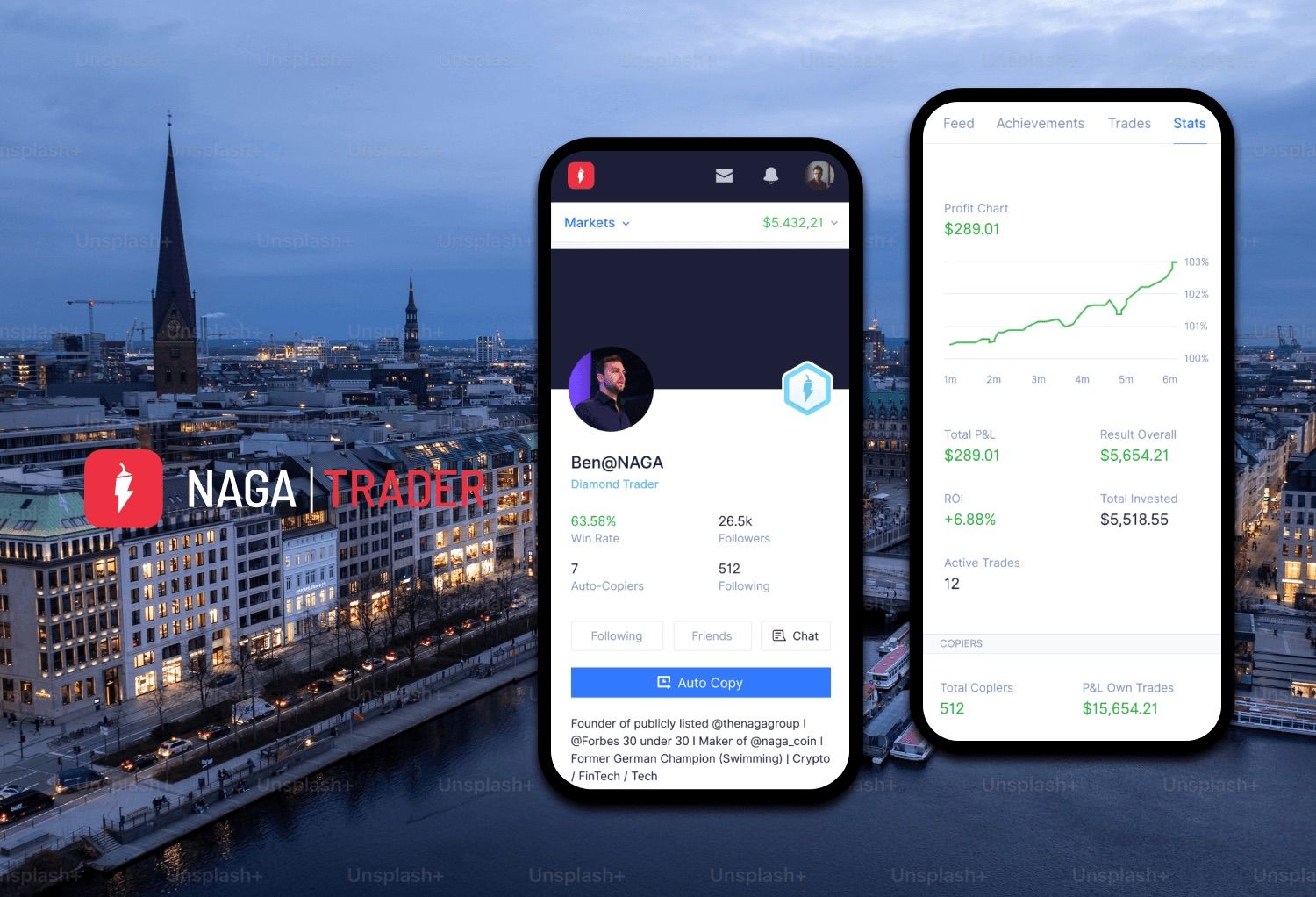
Redesigned trader profiles around social proof, driving 25% copy-trading adoption, on a social trading app used by 2M+ people on web, iOS and Android.
- Users on web and mobile
- 2M+
- Copy-trading adoption
- 25%
- Demo funding adoption
- 30%
- Registration conversion
- 7%
One account across trading, social copy trading, crypto and payments.
- Who Retail traders
Wanted the confidence of professionals without their time or expertise. From beginners to day traders.
- What Trading + a social network
Trade, follow and discuss, and copy another trader’s positions automatically.
- Why Copying felt like a black box
Handing your money to a stranger’s strategy, and hoping.
- Owned iOS, Android and web
End-to-end experience across the three platforms. UX and strategy defined with the product owner and project manager.
- Scope Trading, copy, crypto
Registration, demo mode, trading, copy trading and the NAGA Coin wallet. I also supported marketing for the NAGA Coin launch.
- Built The first design system
Shared components for feature parity across web and mobile.
- 2016 NAGA Feed & Autocopy
A feed where traders share their experience and strategies, and Autocopy to copy a successful trader in a few clicks.
- 2017 NAGA Wallet & Bitcoin accounts
A wallet to buy major cryptocurrencies and store ERC-20 tokens, plus Bitcoin-based trading accounts.
Part 1 · Copy trading
Nobody copies a stranger’s spreadsheet
copy-trading adoption after trader profiles were rebuilt around social proof.
Early testing showed that users didn’t trust Copy until they could see a trader’s track record presented like a social profile, not a spreadsheet.
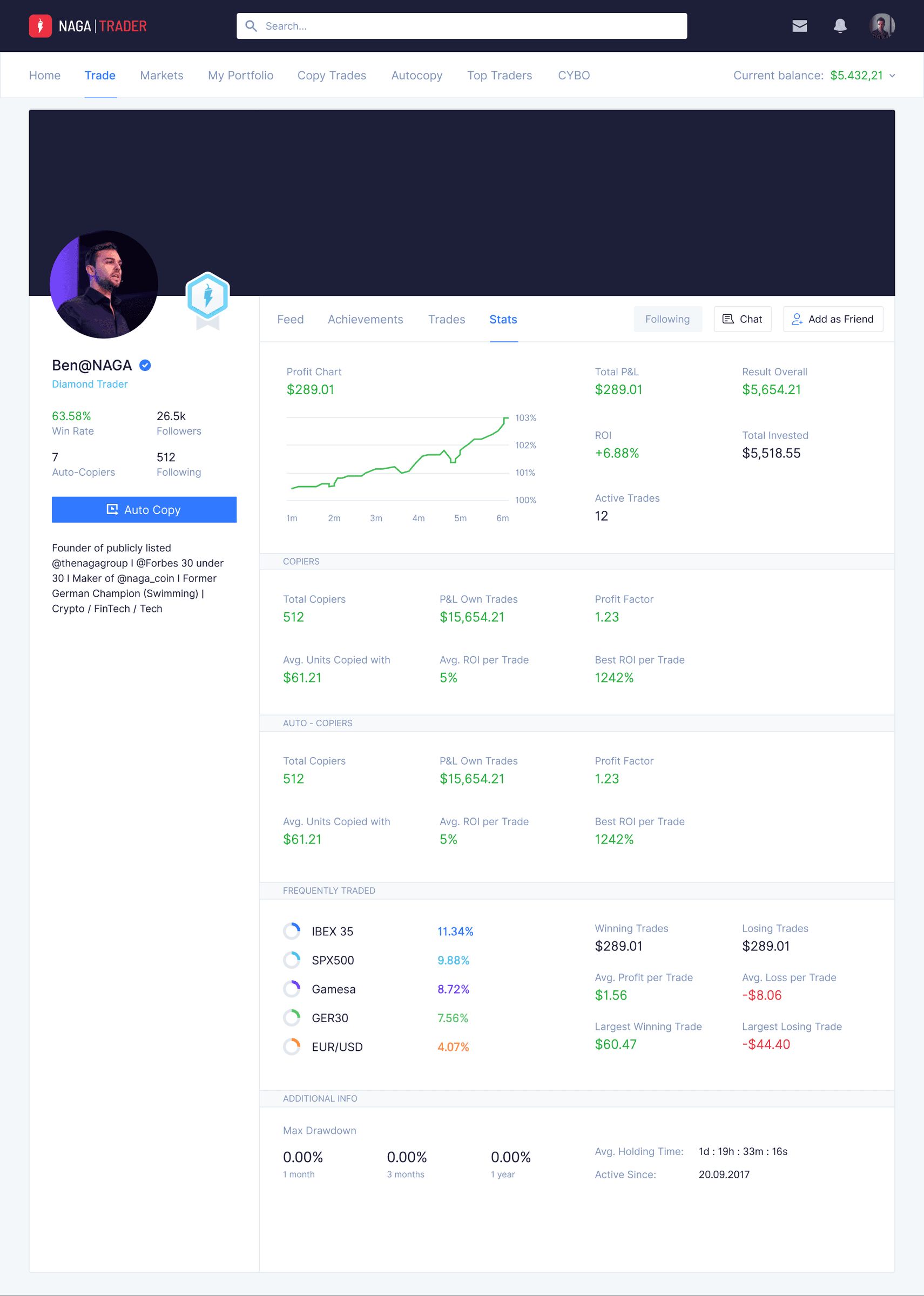
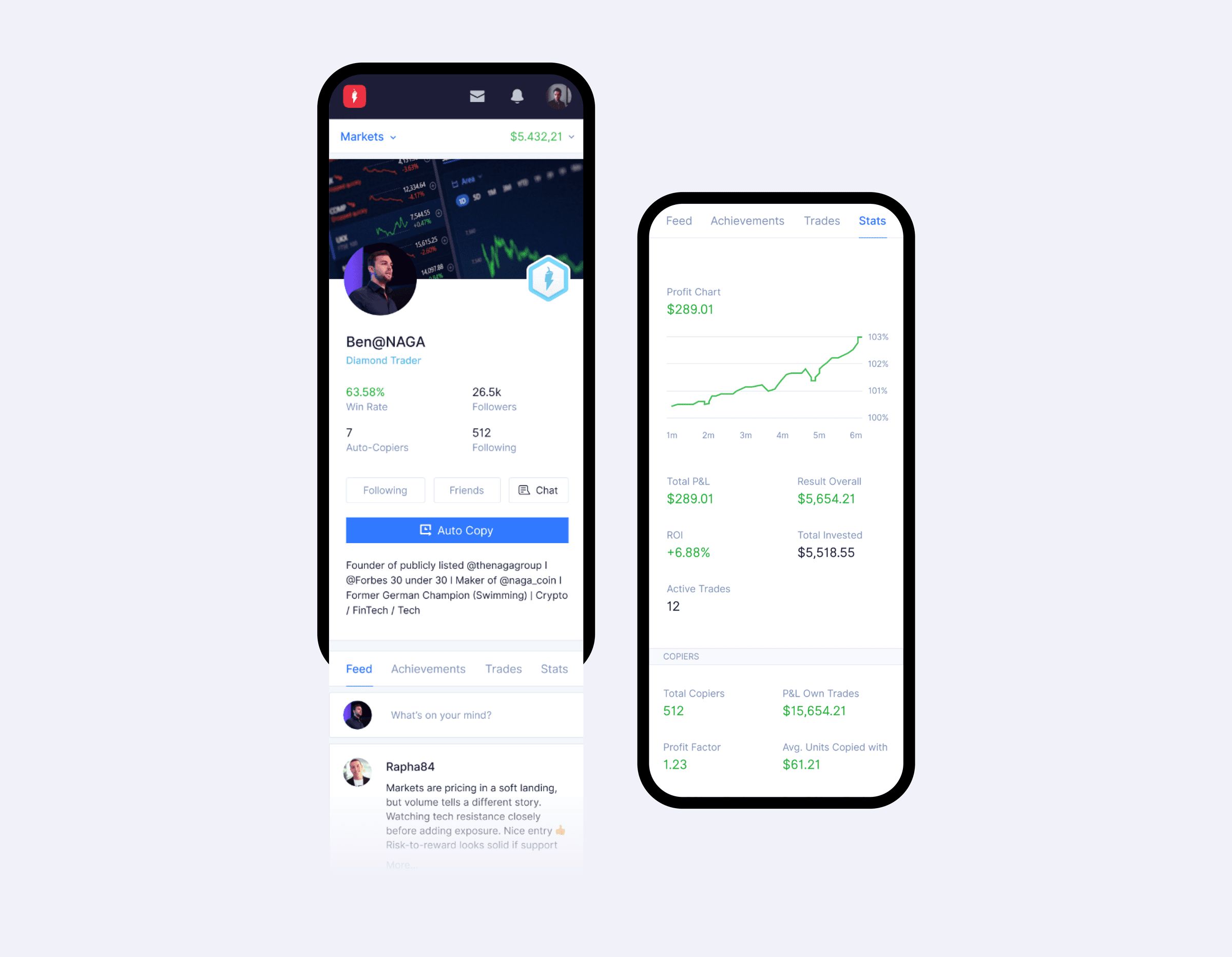
So the profile was rebuilt around social proof (a feed, stats, achievements and trade history) before the Copy call to action.
Decision 1
Profile first, Copy second
- Options
- A leaderboard with a one-tap Copy button, or a profile that shows the trader’s record before the button.
- Chose
- Each trader profile shows a feed, a wall of achievements, a summary of trades and stats. Auto Copy sits on the profile, after the evidence.
- Why
- Users didn’t trust Copy until they could judge the trader like a person, not a row in a table.
- Gave up
- Speed to the first copied trade. There are more screens between a user and the action the business wanted.
Decision 2
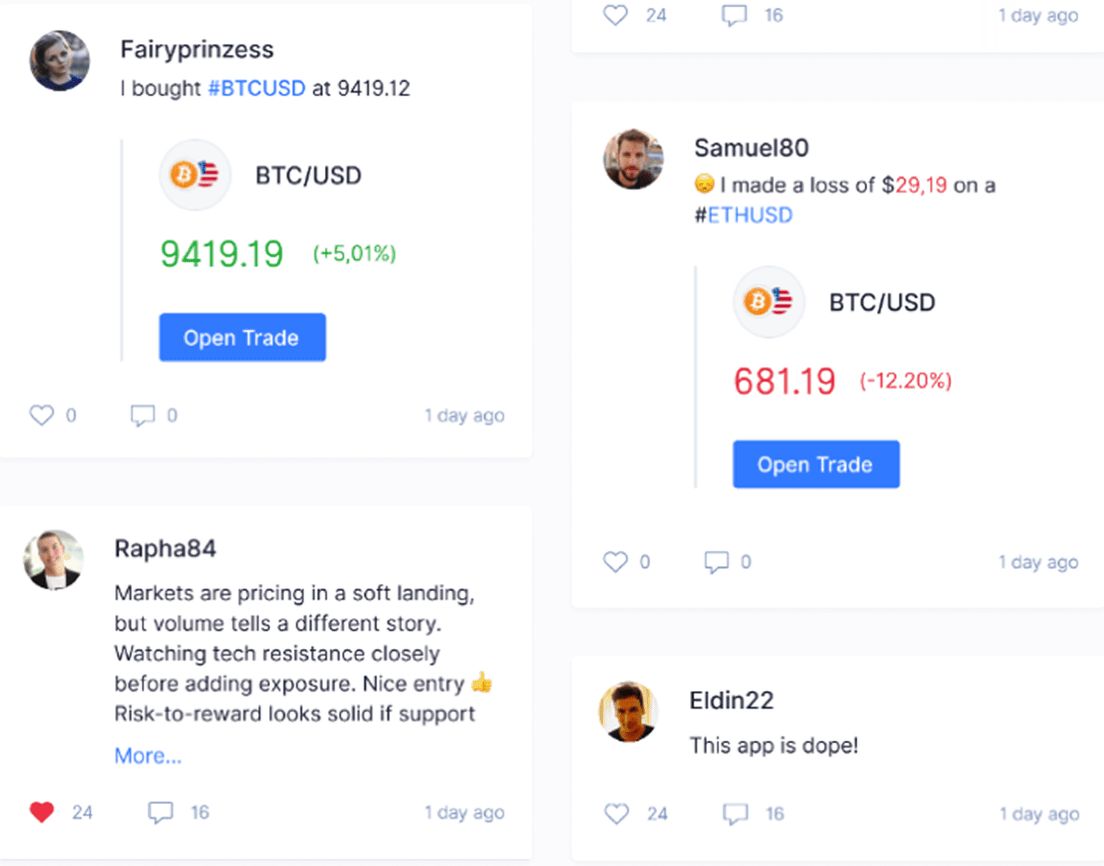
Make the feed about trades, not just talk
- Options
- A plain discussion feed, or posts that embed the trade itself.
- Chose
- Posts can carry a live trade card with the instrument, price change and an Open Trade button, alongside likes, comments and reshares.
- Why
- Traders share wins and losses openly, so others can judge a strategy from what actually happened.
- Gave up
- A noisier feed, and losses on public display next to wins.
-
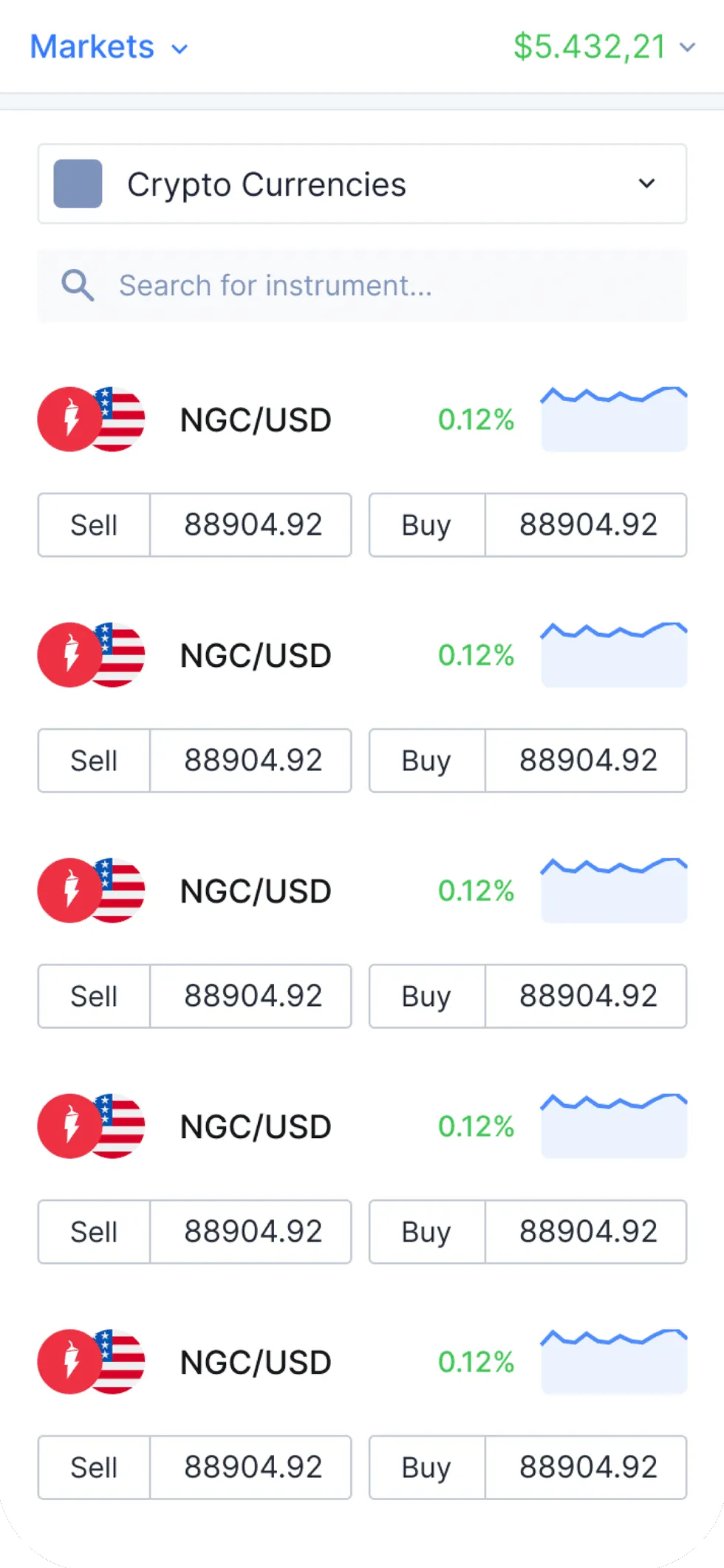
1 Pick a market
-
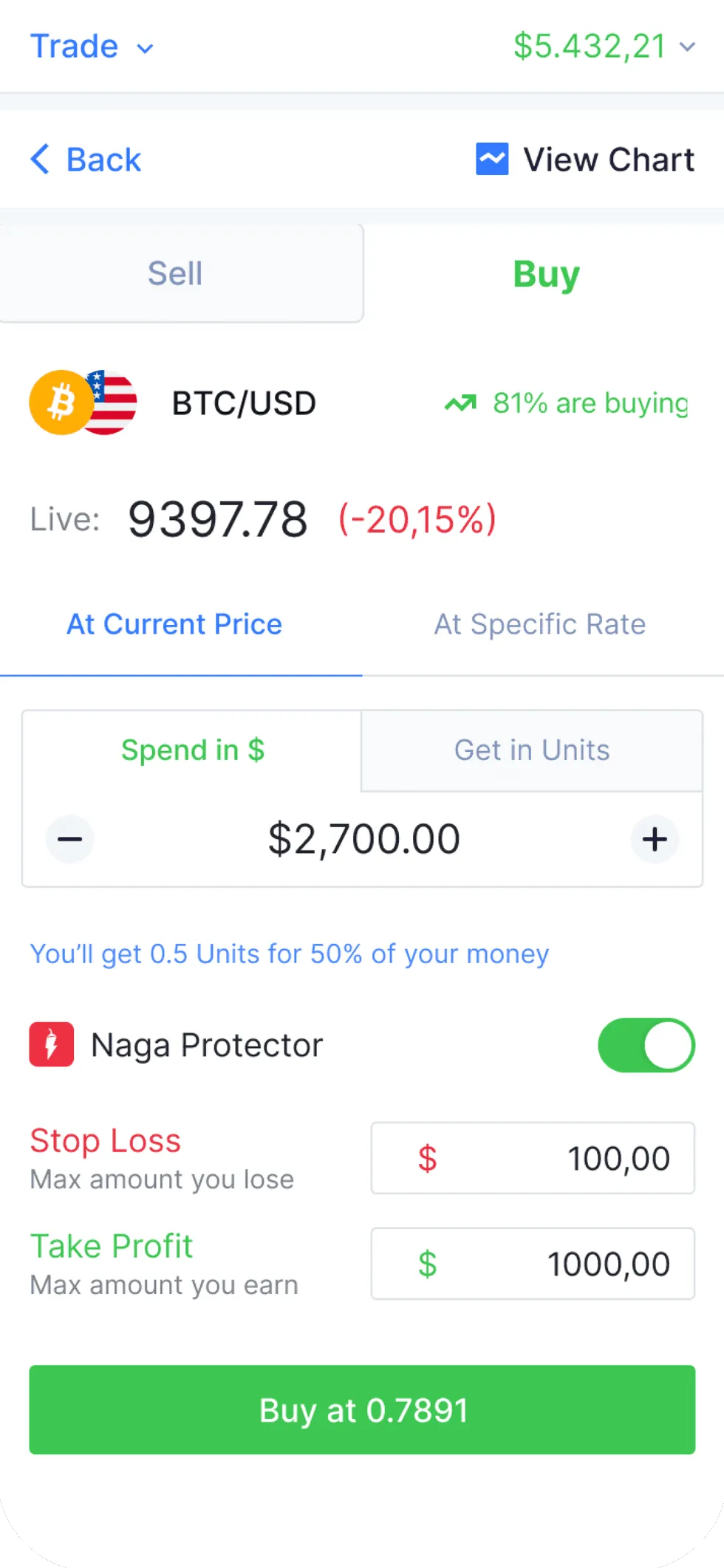
2 Set the trade
Stop loss and take profit on the ticket
-
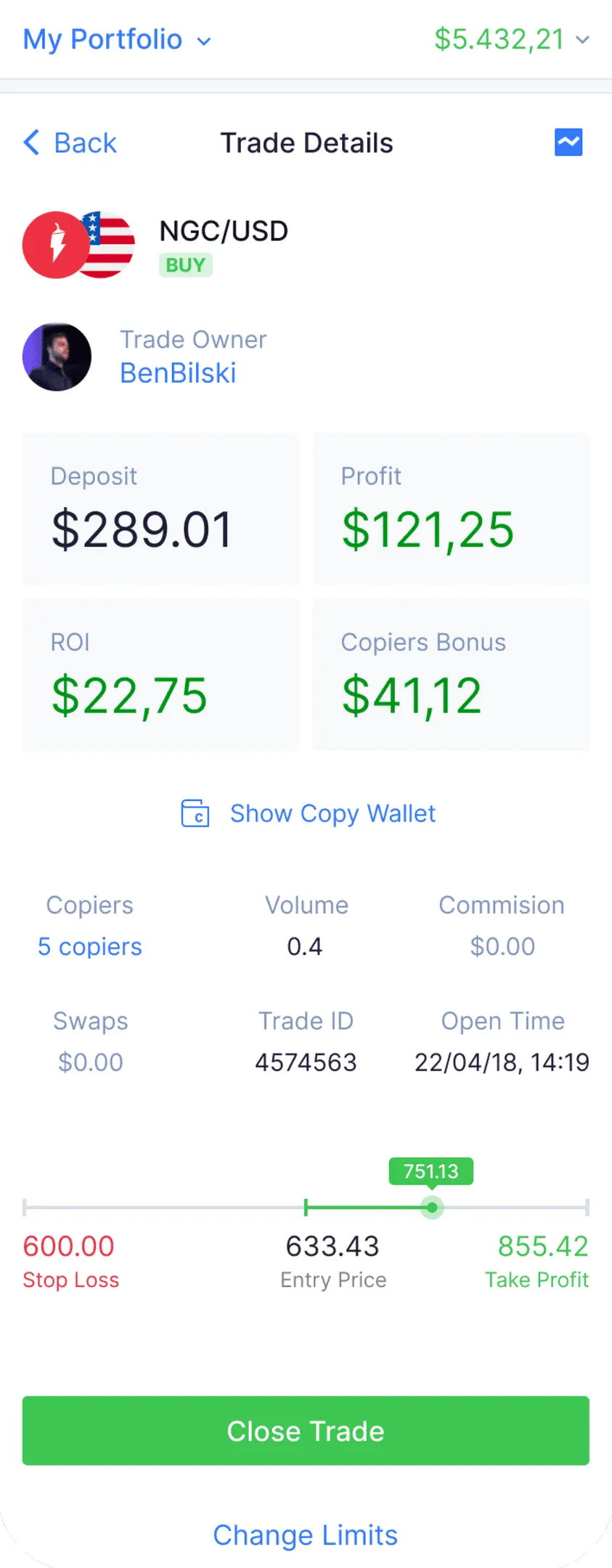
3 Follow the trade
Owner, copiers and risk in one view
Decision 3
Put the risk on the same screen as the trade
- Options
- Hide risk settings behind an advanced toggle, or keep them on the ticket.
- Chose
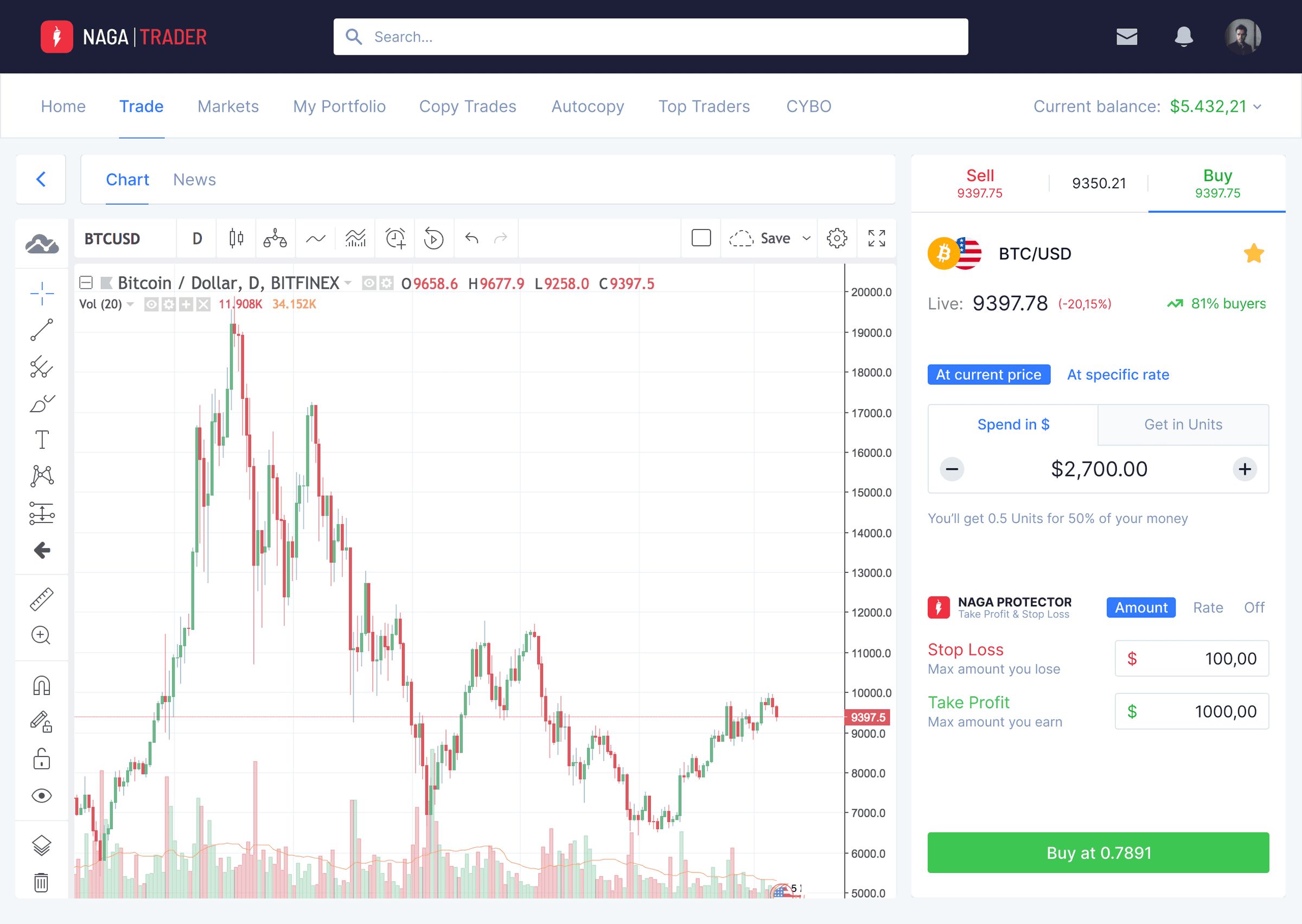
- The ticket keeps stop loss and take profit next to the amount. Trade details show key metrics, who owns the trade and its risk levels in one view.
- Why
- Copying and trading only feel safe if the downside is visible before you commit.
- Gave up
- Denser screens and more to explain to people who had never placed a trade.
Part 2 · Getting started
Markets intimidate people who have never traded
demo funding adoption. Registration converted at 7%.
The audience ranged from complete beginners to day traders. The first steps had to feel safe, and money had to be easy to move in.
Decision 4
One account for fiat and crypto
- Options
- A separate crypto wallet, or one balance across both.
- Chose
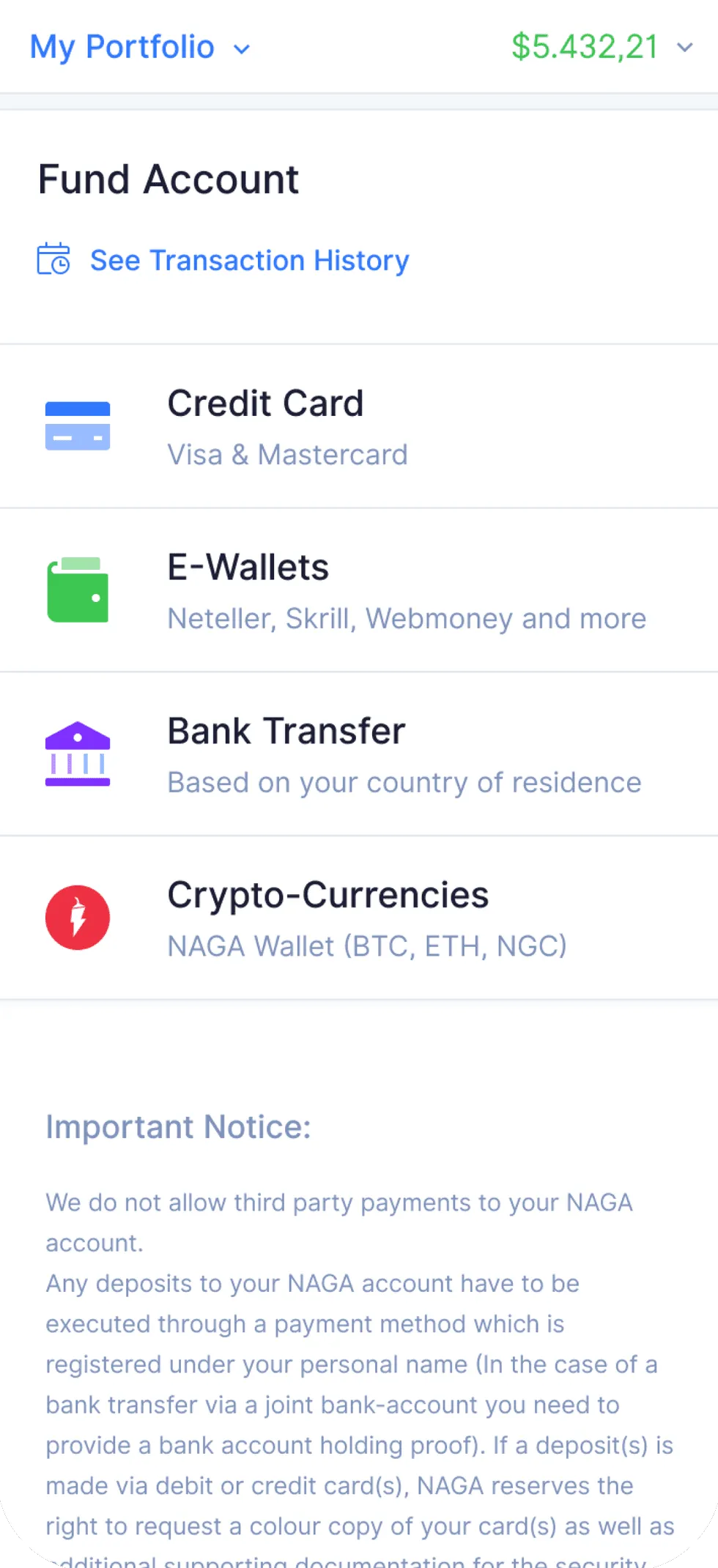
- For the NAGA Coin launch I designed the visual strategy and the in-app wallet, bringing fiat and crypto balances into one dashboard. Funding offers card, e-wallets, bank transfer and crypto in one place.
- Why
- NAGA was unifying fiat and crypto in one dashboard for the first time.
- Gave up
- A more complex funding screen, with crypto rules alongside card payments.
Decision 5
Let people practise before they pay
- Options
- Ask for funding up front, or open a demo account first.
- Chose
- I streamlined the Demo Mode registration, so people intimidated by financial markets could try trading without risking money.
- Why
- To lower the barrier to entry for users intimidated by financial markets.
- Gave up
- A longer path from sign-up to a funded account.
-
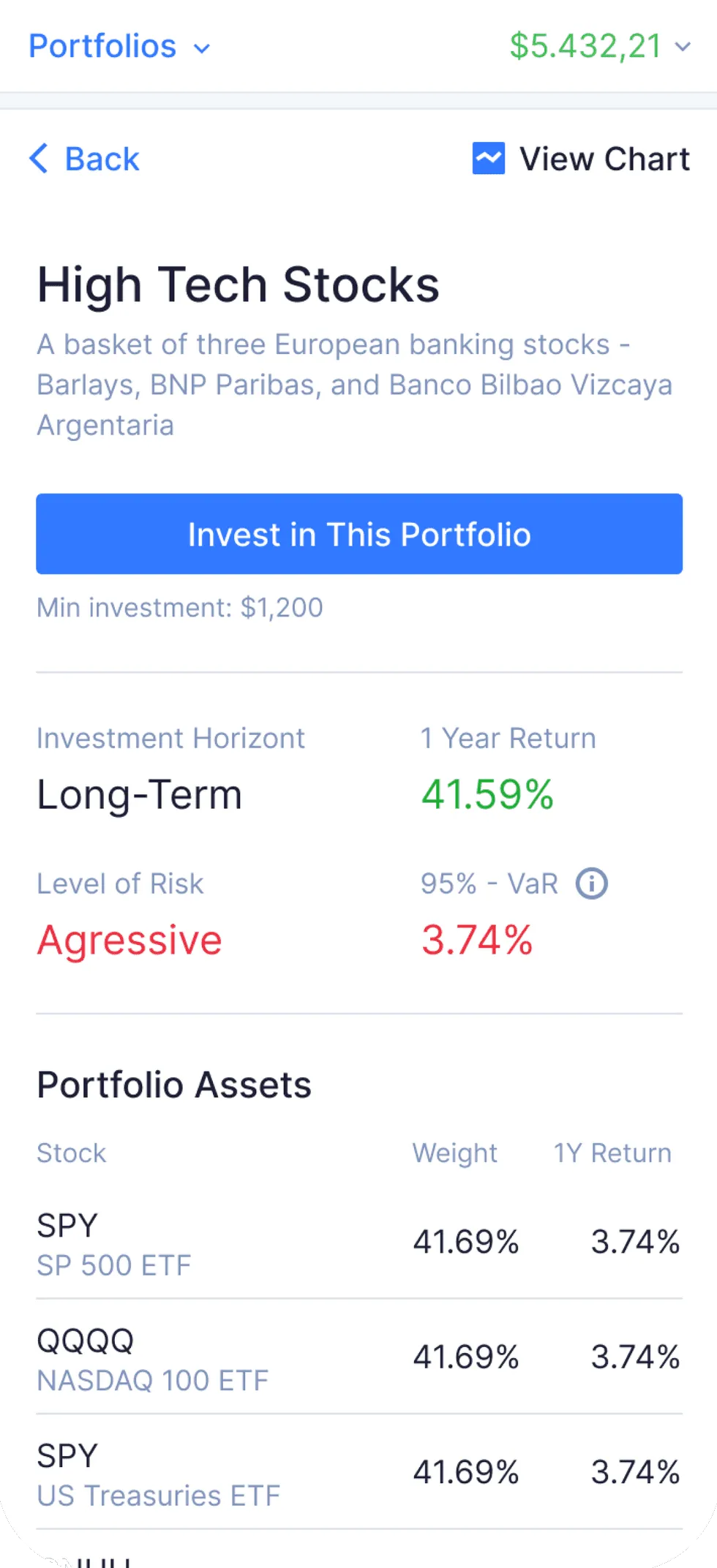
1 Themed portfolios
Return next to risk level
-
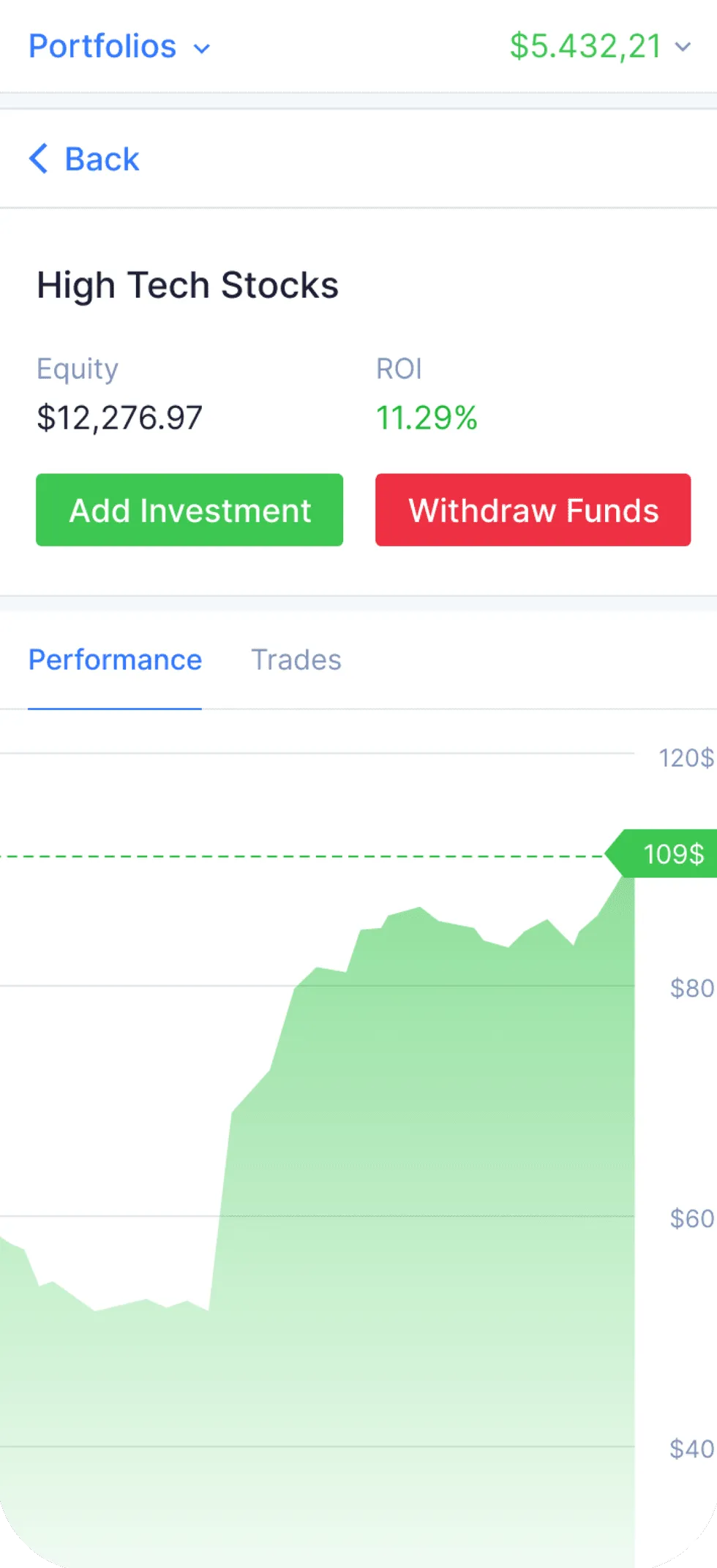
2 Performance over time
-
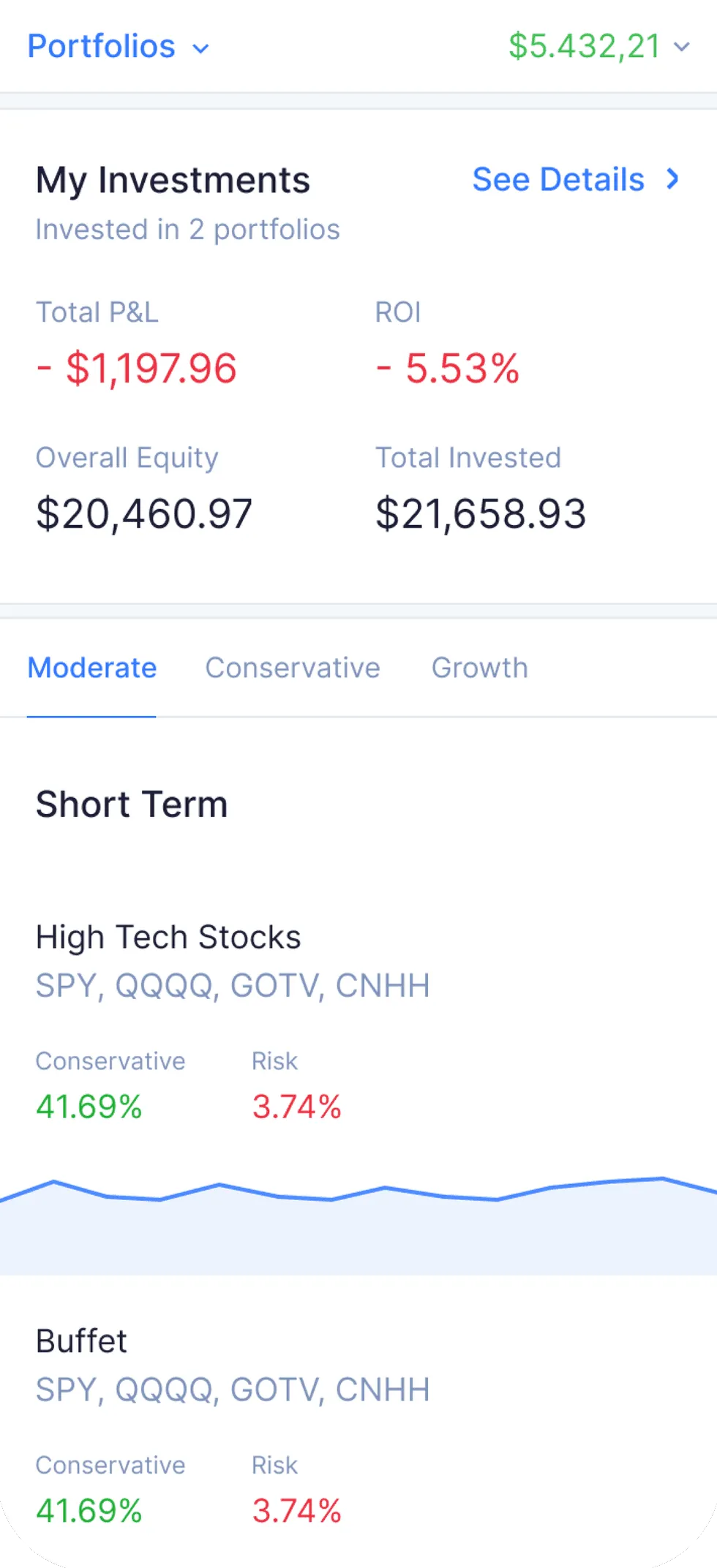
3 All investments
One system on web and mobile
I set up the first design system for the product, so features shipped with the same behaviour and look on web, iOS and Android.